Affichage des articles dont le libellé est Security. Afficher tous les articles

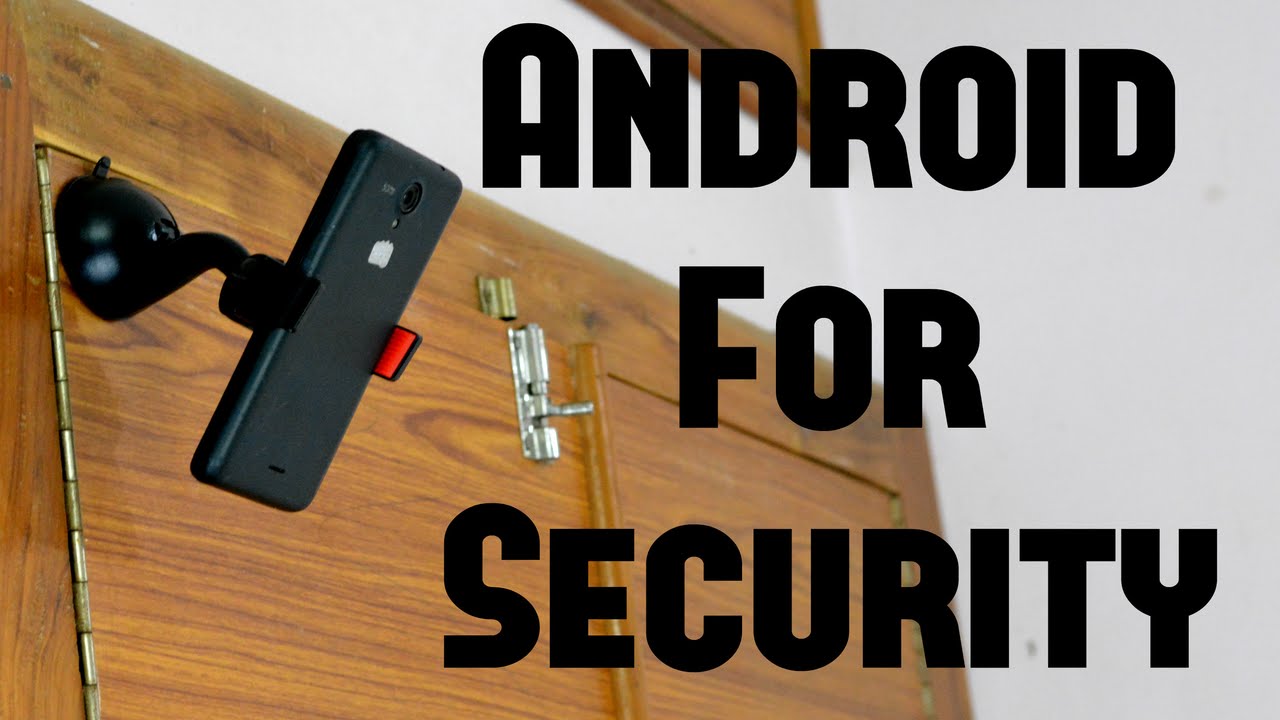
Turn Your Phone's Camera as a Security Camera

Turn Your Phone's Camera as a Security Camera

Résultat de recherche d'images pour "security camera phone"Hey everyone ,
in this short blog i 'm gonna show you how to use your phone's camera as a security camera .

first of all , you should download and install an app called screen stream mirroring from the play store or app store, there is two versions free and paid (5$) , 


Once on the app , you should watch a video (30 sec) to get 20 minutes of free streaming, you can customise the app settings and change the quality of the cast and more things ,

Switch to your computer or any other device and enter to the link visible on the app (192.???.?.???) , you will see whats on your phone screen on the pc .

You can stream anything you want , and share the link with your friends and they can see what you are streaming ,

If you open the camera app from your phone, and place the phone in windows for example you will see what happening outside directly from the computer , like in this video .
Read More

the best android firewall to protect your devise without any root privilege

the best android firewall to protect your devise without any root privilege
Android operating system may sometime involve many Gaps. Not so far, Stagefright Gap has been propagated in many devices working with Android operating system.


For that, in this article, I’ll show you one of the best firewall you can setup on your devise if it is 5.0 versions or better. The firewall is called NetGuard - no-root firewall and does not require having privileges of root. The download link below this article .


The first thing you should do after installing the firewall is to accept the VPN privileges so that the firewall could control all the communications from and to devise. Furthermore, the firewall will allow you controlling the internet consumption of android applications.


As a firewall, NetGuard will inspect and discard any dangerous software that may damage your devise or spy your activities or personal data by disconnecting it.


Download Link : NetGuard

Read More

Microsoft Keeps Backup of Your Encryption Key on its Server — Here's How to Delete it !

Microsoft Keeps Backup of Your Encryption Key on its Server — Here's How to Delete it !

Have you recently purchased a Windows computer?

Congratulations! As your new Windows computer has inbuilt disk encryption feature that is turned on by default in order to protect your data in case your device is lost or stolen.

Moreover, In case you lost your encryption keys then don't worry, Microsoft has a copy of your Recovery Key.

But Wait! If Microsoft already has your Disk Encryption Keys then what’s the use of using disk encryption feature? Doesn't Encryption mean Only you can unlock your disk?

Microsoft Probably Holds your Encryption Keys


Since the launch of Windows 8.1, Microsoft is offering disk encryption as a built-in feature for Windows laptops, Windows phones and other devices.

However, there is a little-known fact, highlighted by The Intercept, that if you have logged into Windows 10 using your Microsoft account, your system had automatically uploaded a copy of your recovery key to Microsoft’s servers secretly, and you can't prevent device encryption from sending your recovery key.

Note: Do not get confuse device encryption with BitLocker. Both works same but have different configuration options. BitLocker offers users a choice whether or not they want to backup their Recovery keys on Windows server.


How to Delete your Recovery Key from your Microsoft Account?

Follow these simple steps in order to remove your recovery key from your Microsoft account:

Step 1: Open this website and log in with your Microsoft Account

Step 2: You will find list of recovery keys backed up to your Microsoft Account

Step 3: Take a back of your recovery Keys locally

Step 4: Go ahead and delete your recovery key from Microsoft Account.

How to Generate a New Encryption key (Without Sending a copy to Microsoft)?

Step 1: Go to Start, type "Bitlocker," and click "Manage BitLocker."

Step 2: Click "Turn off BitLocker" and it will decrypt your disk.

Step 3: Once done, Click "Turn on BitLocker" again.
Step 4: Then Windows will ask you: How you want to backup your Recovery Key. Make sure to DO NOT SELECT "Save to your Microsoft Account." That's it.

Congratulations! 

Finally, the new Windows device you purchased specially for disk encryption feature has now enabled the feature, and Microsoft no longer can unlock it.
Read More

I keep 200+ Browser Tabs Open, and My Computer Runs Absolutely Fine. Here’s My Secret !

I keep 200+ Browser Tabs Open, and My Computer Runs Absolutely Fine. Here’s My Secret !


Here’s my Secret:


Today I have something that will make you feel like you have a powerful computer:


The Great Suspender — A lightweight Chrome extension to let you manage when tabs should be put "to sleep" or suspended — anywhere from 20 seconds to 3 days.

So now you can keep your Gmail, Facebook, and several other tabs open in the background without any fear of slowing down your computer system, and access those tabs again at any point you would like to.

I’m sure there are other extensions as well, but this one has worked fantastic for me and dramatically improved my Chrome and my overall surfing experience.


Automatically Suspend Tabs with The Great Suspender to avoid Browser Slow down or Crash:

The Great Suspender extension effectively allows you to automatically suspend specific tabs that aren’t in use after a set number of minutes. But worry not, as you can restore any particular tab by clicking anywhere on the page when required.

Read More

Protect Your Eyes against The Light of Your Computer Screen !

Protect Your Eyes against The Light of Your Computer Screen !
With so many of us using computers at work, computer eye strain has become a major job-related complaint. Studies show that eye strain and other bothersome visual symptoms occur in 50 to 90 percent of computer workers.These problems can range from physical fatigue, decreased productivity and increased numbers of work errors, to minor annoyances like eye twitching and red eyes.
So in this article i'm going to give you guys a solution to protect your eyes .
and to do that we need to install a Software it's name is Dimscreen and it can mitigate the display light to the maximum degree of your choice.
After download and install the software choose the Capacity of screen Light that you want it !

That's all ^^


Read More

Opera says its service for syncing web browser data was hacked

Opera says its service for syncing web browser data was hacked
Opera, which recently agreed to sell its browser business to a Chinese consortium, has reset user passwords for one of its services after its servers were breached by hackers this week.
The company revealed that attackers gained access to Opera Sync, a service that lets users synchronize their browser data and settings across multiple platforms. It is investigating the incident, but initially believes the attack may have compromised user data, including passwords and login names.
Opera counts 350 million users across its range products, but it said that a small portion of those use the Sync service. Last month, for example, it counted 1.7 million active Sync users, but more may have registered for it and, in doing so, provided Opera with data. The company has reset all passwords and emailed all registered Opera sync users with details.
“Although we only store encrypted (for synchronized passwords) or hashed and salted (for authentication) passwords in this system, we have reset all the Opera sync account passwords as a precaution,” it explained in a blog post.
News of the attack on Opera comes a day after Dropbox issued a password reset for accounts that had not changed passwords since 2012. The cloud storage provider said the move came in responsible to security concerns that arose from the massive hack on LinkedIn in 2012 where credentials for 117 million accounts were posted online.
Opera’s problem doesn’t appear related to that, and is notable that the hack appears to have only impacted one of its services in isolation. No doubt Opera will have more details once it has finished investigating what happened.
Word of the attack comes over a month after Opera announced the sale of its browser business, privacy apps and Chinese joint-venture to a consortium from China led by anti-virus firm Qihoo 360 for $600 million. The parties had previously agreed to a $1.2 billion sale of Opera’s entire operations but, while that gained approval from the Norwegian company’s shareholders, a new agreement was cut after the necessary approvals were not secured within a pre-arranged deadline.


Read More